
Finds missing answers
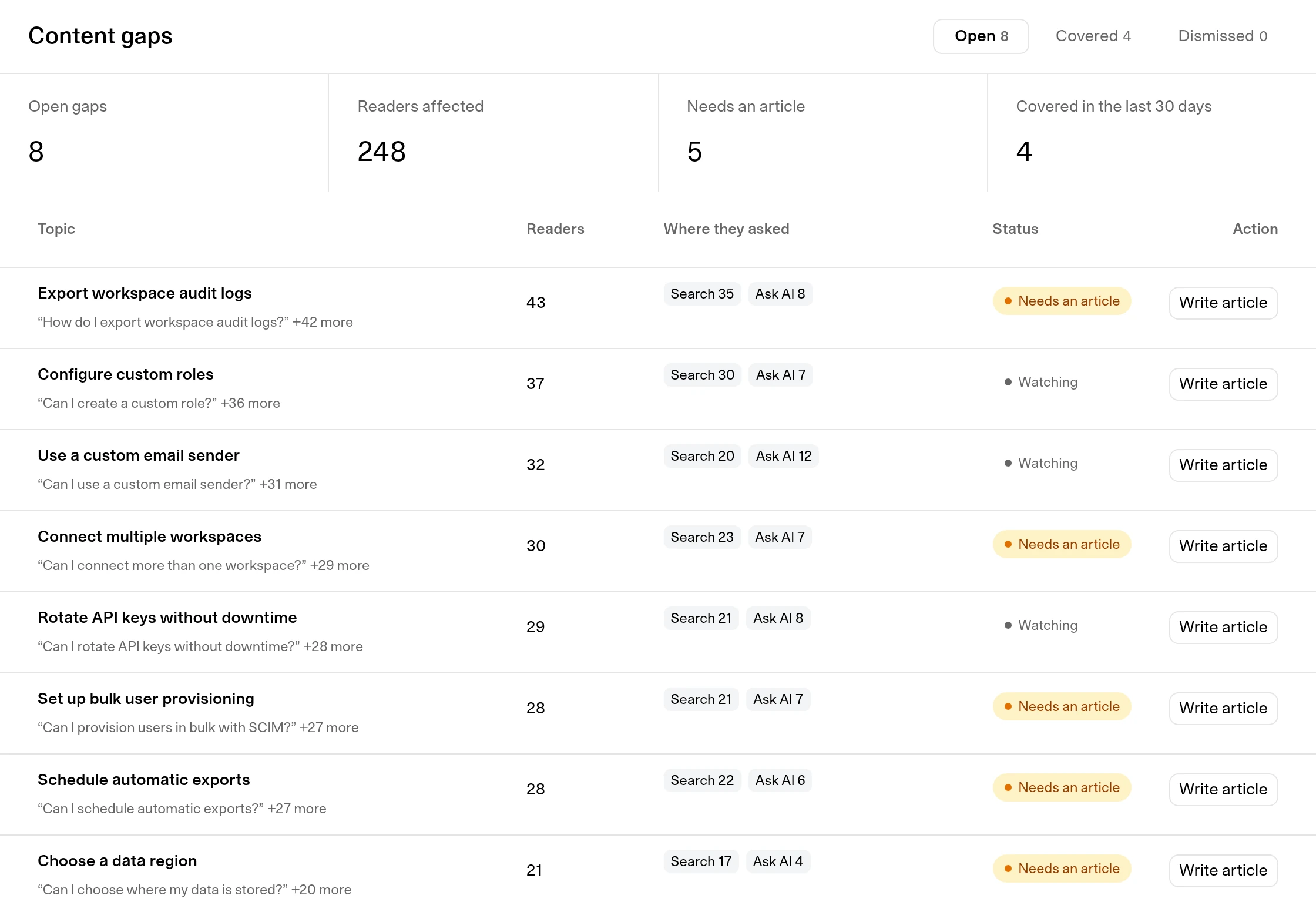
Unanswered searches become your next article.
Automate your source of truth
Weav builds a branded, searchable knowledge base in minutes, then helps it improve with every customer question. Move your current help center over in minutes, or build your help center automatically from your product, website or GitHub.
Free knowledge base · No credit card · Populate automatically
Docs that never go stale
Questions reveal the gaps, your code provides new facts, Weav drafts the fix, ready for your team to give the green light.
Unanswered searches become your next article.
Your best replies become suggested updates
Merged pull requests become suggested edits
See both versions. Make the final call
Ask AI gives readers answers they can verify
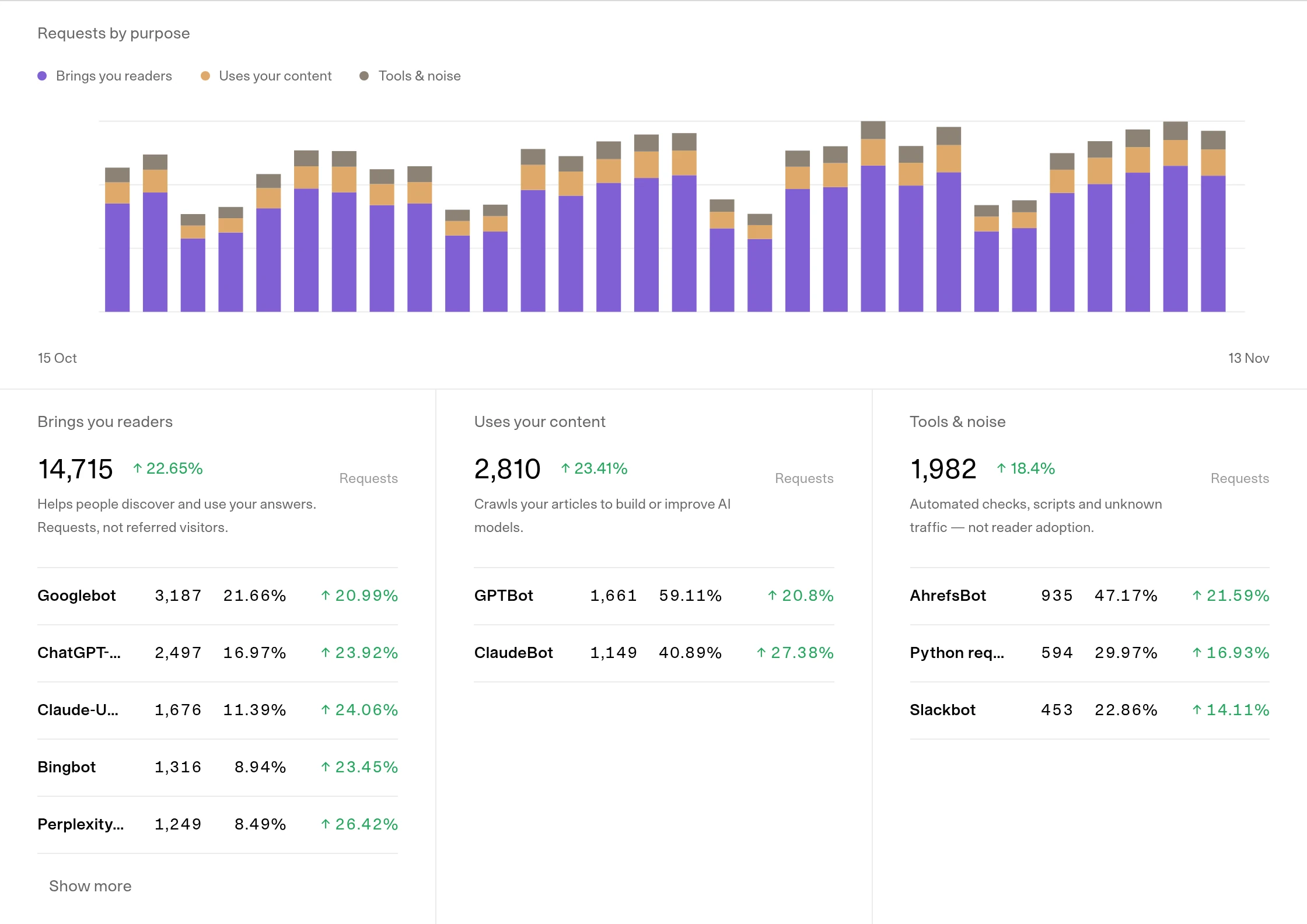
See which AI agents read your articles
Pull from your existing sources
Bring what you have, connect the tools you use, or start with an idea. There’s more than one way to make it yours.
help.acme.com → 48 articles · review first
acme.com → draft articles
Two-way sync for your Markdown docs.
CLI beta · weav migrate --url=help.acme.com
MCP · kb_create_article → draft
POST /v1/kb-articles → draft
Found via your sources
66 articles.
Ready for your review.
Feed your own website, GitHub, Product or existing knowledge base into Weav today and have a free working help center in minutes.
Build your own
Make it your own
Make your help center feel like part of your product. Kit it out completely with your logo, your colors, your domain.
Brand


 docs.acme.com↗


 Copy page
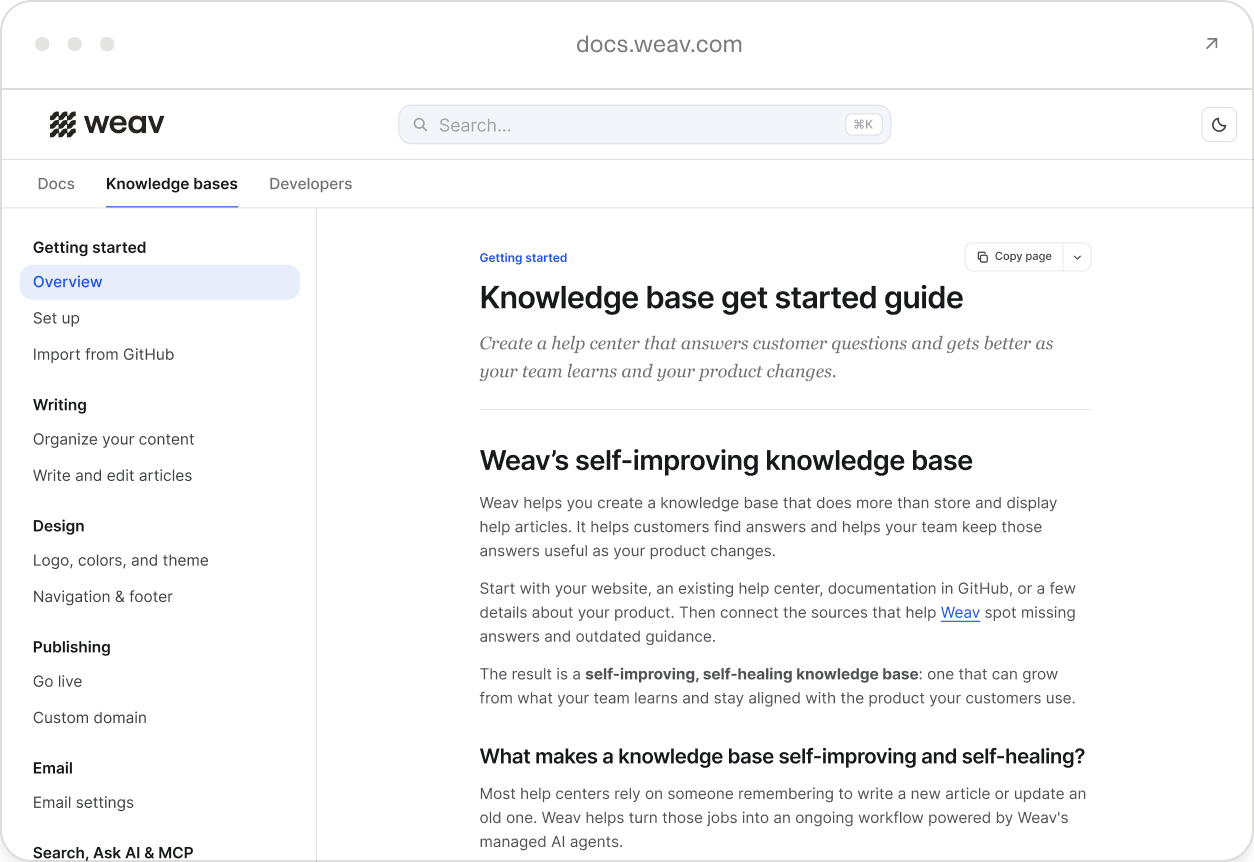
Knowledge base get started guide
Create a help center that answers customer questions and gets better as your team learns and your product changes.
Weav’s self-improving knowledge base
Weav helps you create a knowledge base that does more than store and display help articles. It helps customers find answers and helps your team keep those answers useful as your product changes.
Start with your website, an existing help center, documentation in GitHub, or a few details about your product. Then connect the sources that help Weav spot missing answers and outdated guidance.
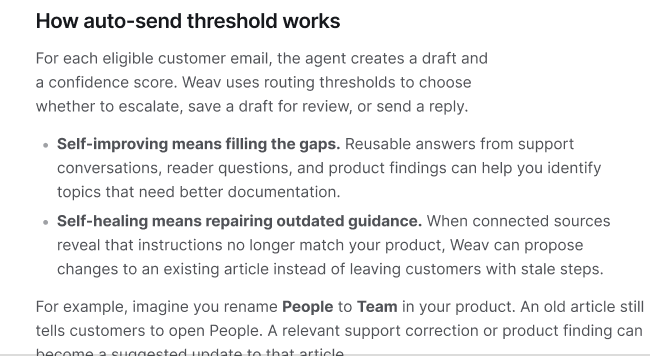
The result is a self-improving, self-healing knowledge base: one that can grow from what your team learns and stay aligned with the product your customers use.
API draft created · Ready for reviewWhat makes a knowledge base self-improving and self-healing?
1. Choose how to create your knowledge base
2. Review and organize your first articles
3. Make it yours and go live
4. Connect the sources that keep answers current
5. Review suggestions and close content gaps
What else can you do with Weav Knowledge Base?
Frequently asked questions
Do I need an existing help center?
Will Weav publish AI suggestions automatically?
Can I keep my knowledge base private while I work?
Does self-improvement work without connecting sources?
Start with your customers’ most common questions
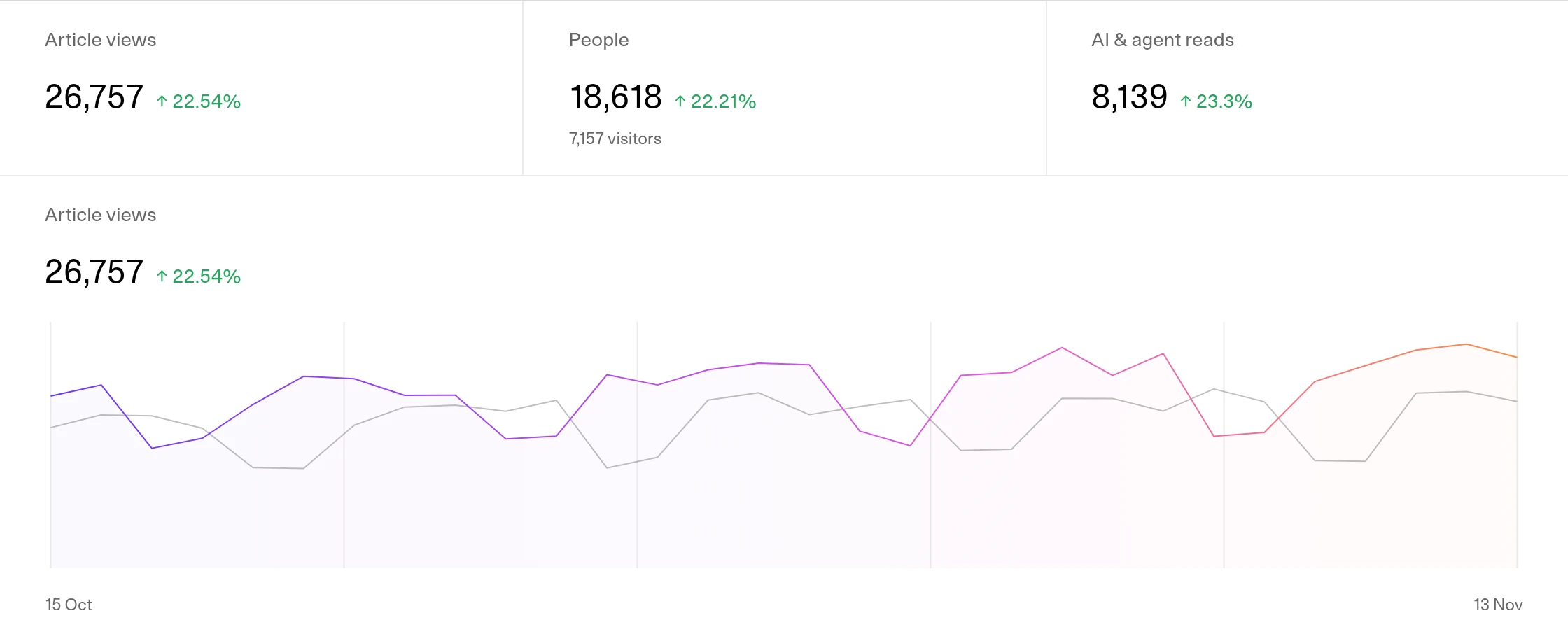
Know what your knowledge is doing
Understand who reads your Knowledge Base, how AI accesses it, and which answers could make it more useful.
KNOWLEDGE WITHOUT WALLS
Write where you work, put your knowledge where it’s needed.
Markdown in your repo ↔ your KB. Push to update, and keep edits in sync in both directions.
Search and read your docs from Claude, ChatGPT and Cursor.
https://docs.yourcompany.com/mcpManage articles, categories, translations and redirects.
api.weav.com/v1llms.txt, llms-full.txt, .md for every article, AGENTS.md and SKILL.md.
$ curl https://docs.yourcompany.com/llms.txt

# Your company documentation
Guides, answers and API references.
Ready for people. Ready for your agent.
Try ours out
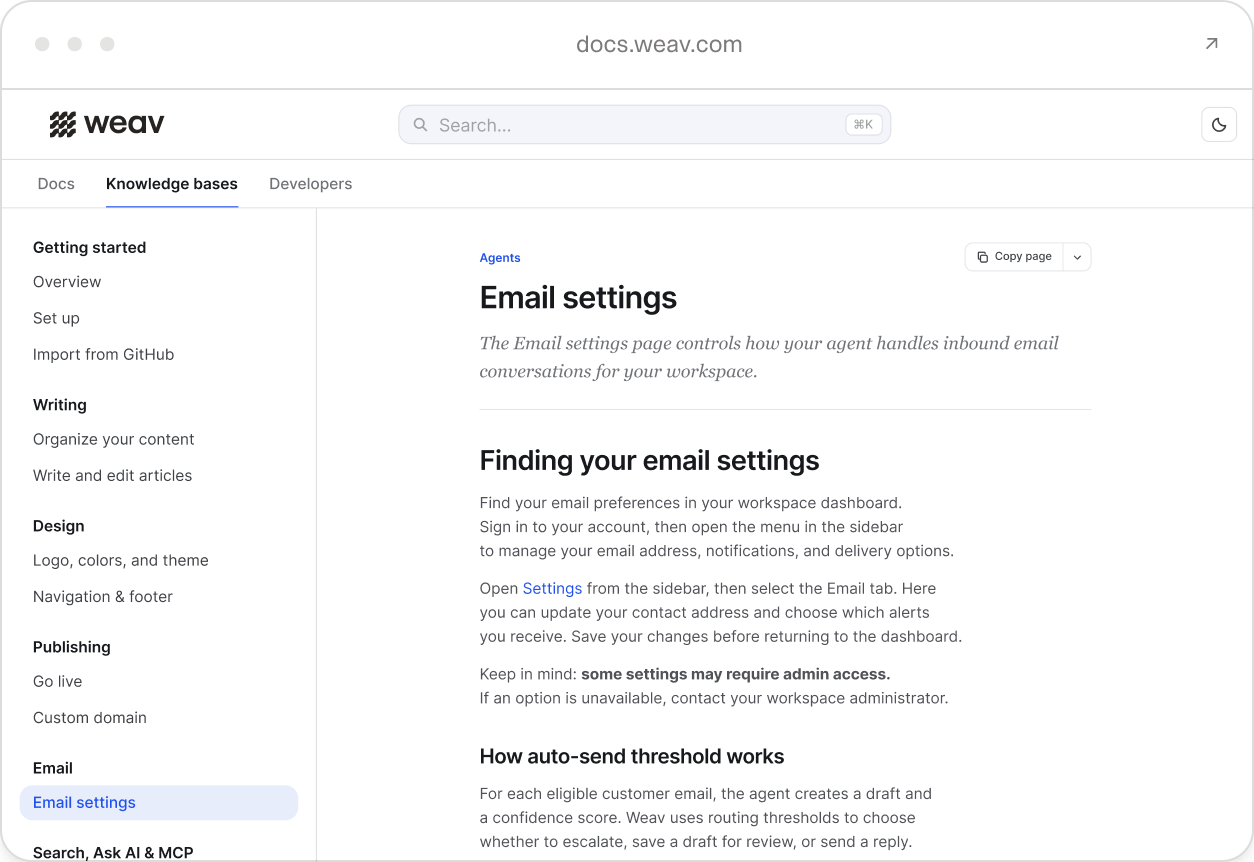
Our help center runs on Weav. Take a look around, search for an answer, and see what yours could feel like.
docs.weav.com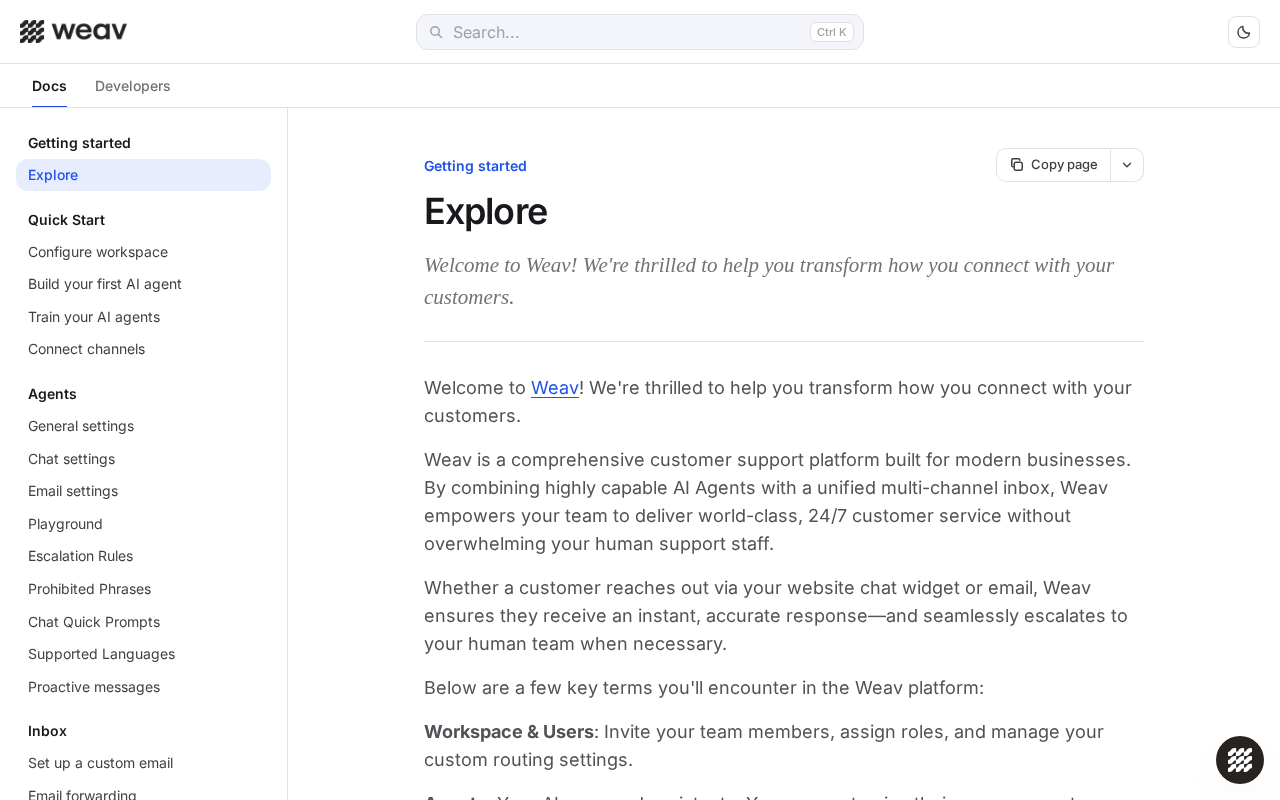
You can build a knowledge base in minutes. Larger imports can take longer. Review it and go live when you’re ready.
No. Weav Knowledge Base imports your article content, categories and detected navigation order, plus images and available SEO titles and descriptions. Review everything before going live.
Yes. Connect a subdomain, an apex domain or a subpath on your website. Managed SSL is available for hosted custom domains.
Links between imported articles are rewritten for their new home, and redirects map old article paths to the new articles. Keep the old domain or proxy configured so redirects can be reached.
Yes. Start your knowledge base for free. No credit card required.
A new Knowledge Base stays private until you click Go live, so you can review it first. Imports into an already-live site follow that site’s visibility.
LESS WRITING. MORE ANSWERS.
Give your customers a place to find their own answers.
Free · No credit card
Move your existing articles, or let your agent draft a starting point. Review everything before you go live.
Free · No credit card
