Insights
How to automate customer support without hiring more agents in 2026

Brady Nord

Ticket volume is up. Headcount isn't. And the queue keeps growing.
If that sounds familiar, you're not alone. Most support teams at growing SaaS companies hit this wall eventually — more customers, more queries, same number of agents. The instinct is to hire. But hiring is slow, expensive, and doesn't solve the underlying problem: too many repetitive tickets that don't actually need a human to resolve.
The good news is that automating customer support in 2026 doesn't mean deploying a frustrating bot that loops customers in circles. It means training an AI agent on your existing documentation and letting it resolve the questions your team answers 50 times a week — while your people focus on the work that genuinely requires judgment.
Here's how to do it.
The Problem With Scaling Support the Old Way
Hiring more agents feels like the obvious fix. But it introduces compounding costs: recruitment time, onboarding, training, salaries, and the inevitable ramp period where new hires are still learning your product.
And after all that, you're still one product launch or seasonal spike away from being understaffed again.
The other common approach — deploying a generic chatbot — tends to make things worse. Customers get stuck in decision trees that don't resolve anything. CSAT scores drop. Agents end up handling the overflow anyway, now with frustrated customers on the other end.
The AI customer support market is projected to reach $15.12 billion in 2026, and the reason it's growing isn't hype. It's because the tools have genuinely improved. The best ones don't deflect tickets — they resolve them.
What Support Automation Actually Means in 2026
Automation in support used to mean routing rules and canned responses. That's not what we're talking about here.
In 2026, effective support ticket automation means:
An AI agent that reads and understands your product documentation
Responds to customer queries with accurate, context-aware answers
Handles chat and email, not just one channel
Escalates to a human agent when the situation calls for it — with full context intact
Gets better over time as it learns from resolved tickets
The shift in the market is away from "deflection" (getting customers to give up) and toward genuine resolution. Accuracy and context-awareness have become the primary differentiators. Speed was the 2022 story. In 2026, teams care whether the AI actually gets it right.
Step 1: Identify What's Worth Automating
Not every ticket should go to an AI agent. Start by auditing your last 30 days of support volume and categorizing tickets by type.
Look for patterns like:
Repetitive how-to questions — "How do I reset my password?" "Where do I find my invoice?" "How do I connect X integration?"
Status and account queries — "What plan am I on?" "When does my trial end?"
Documentation lookups — Questions where the answer already exists in your help center, but customers didn't find it
These are your automation candidates. They don't require judgment. They require accurate information delivered fast.
Tickets that involve billing disputes, complex technical issues, or emotionally sensitive situations should stay with humans. The goal isn't to automate everything — it's to automate the right things so your team can focus on the rest.
A good rule of thumb: if a new support agent could answer it correctly on day one by reading your docs, an AI agent can handle it.
Step 2: Train an AI Agent on Your Existing Docs
Here's the part most teams overlook: you probably already have everything you need to automate a significant portion of your support volume. It's sitting in your help center, your onboarding docs, your product FAQs, and your website.
The problem isn't that the information doesn't exist. It's that customers can't find it, and agents spend their days surfacing it manually.
A no-code support automation platform lets you point an AI agent at your existing documentation — upload your help articles, sync your website, connect your knowledge base — and deploy an agent that can answer questions from that content in minutes.
No engineering required. No custom training pipelines. You sync your docs, and the agent starts working.
This is exactly what Weav is built for. You connect your existing documentation, and Weav trains AI agents on that content to resolve customer queries 24/7 through chat and email. The setup takes minutes, not weeks.
The key thing to verify with any tool you evaluate: does the AI actually resolve tickets, or does it just point customers back to links? There's a meaningful difference between an agent that says "here's a link to our docs" and one that reads the relevant section and gives a direct answer.
Step 3: Keep Humans in the Loop for What Matters
Automation works best when it's paired with a clear escalation path — not as an afterthought, but as a designed part of the workflow.
When an AI agent hits the edge of its knowledge, or when a customer is clearly frustrated, or when the query involves something sensitive, the handoff to a human agent needs to be smooth. That means:
Full context preserved — the human agent sees the entire conversation history, not a cold transfer
No repeated questions — customers shouldn't have to re-explain their issue
Clear routing — the right ticket goes to the right person
This is where a lot of automation setups fall apart. The AI handles the easy stuff, but the handoff is clunky, context gets lost, and customers end up more frustrated than if they'd reached a human from the start.
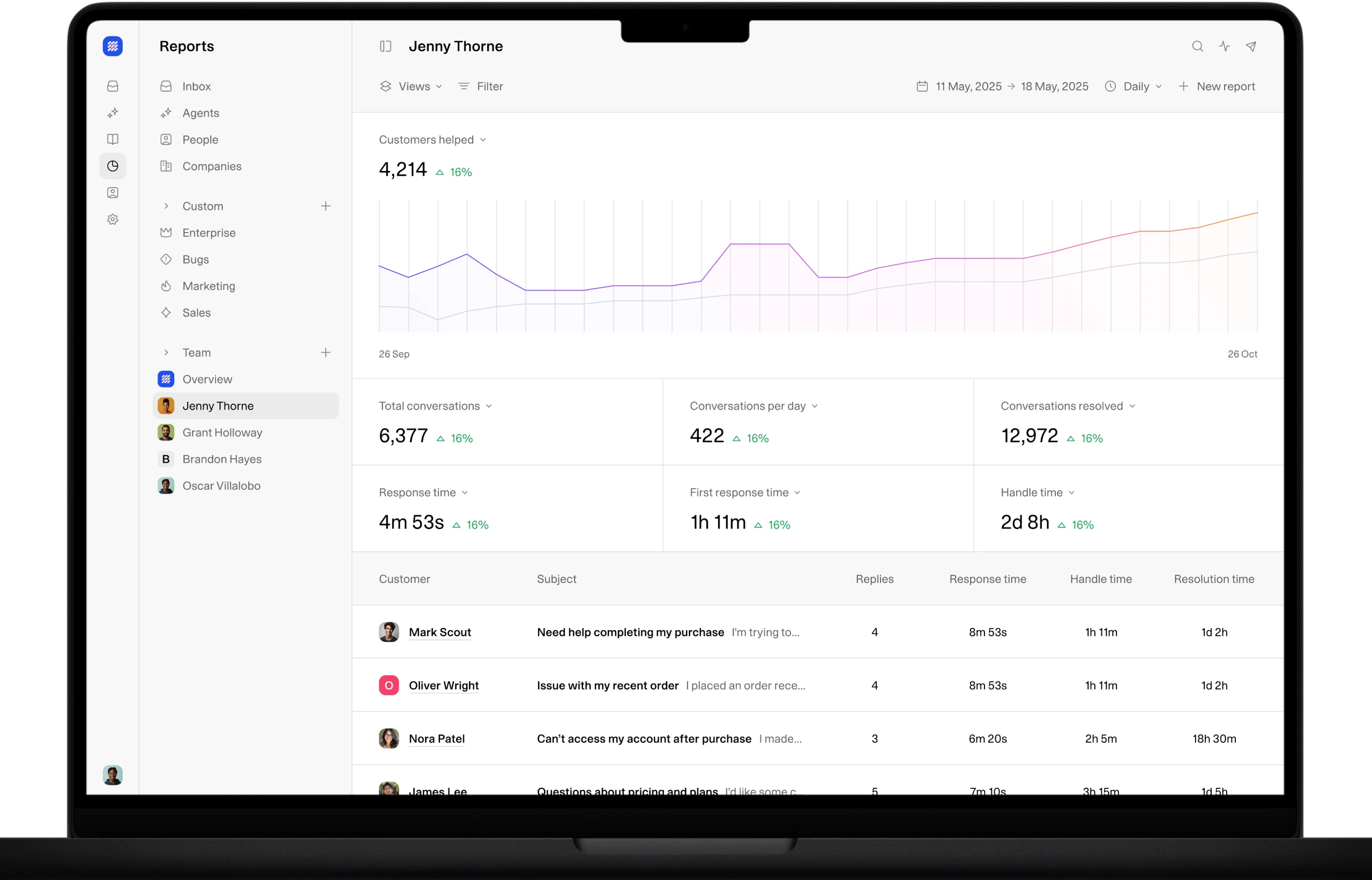
The better approach is a unified inbox where AI and human agents work side by side. Your team sees what the AI is handling, can step in at any point, and picks up escalated tickets with full context already in front of them. No separate tools. No switching between systems.
Step 4: Let the System Learn Over Time
Static automation plateaus. You set it up, it handles a certain percentage of tickets, and then it stops improving.
The more useful approach is an AI agent that learns from your team's resolved tickets over time. Every time a human agent resolves a ticket, that becomes training data. The agent gets better at your product, your tone, and the specific questions your customers ask.
This matters because your product changes. New features ship, pricing updates, integrations get added. An AI agent that only knows what was in your docs on day one becomes stale fast. One that continuously learns stays current.
It also means your investment compounds. The longer you run it, the more accurate it gets, and the higher the percentage of tickets it can resolve without human intervention.
What to Look for in a Support Automation Tool
With a lot of options in the market, here's what actually matters when you're evaluating tools:
Criteria | Why It Matters |
|---|---|
Trains on your own docs | Generic AI gives generic answers. Your docs give accurate ones. |
No-code setup | You shouldn't need engineering resources to deploy this. |
Unified inbox | AI and humans need to work in the same place, not separate tools. |
Full context on handoffs | Escalations without context create frustrated customers. |
Continuous learning | Static systems plateau. Learning systems compound. |
Transparent pricing | Simple tiered pricing that scales predictably beats opaque enterprise contracts. |
API and webhooks | You'll want to connect this to your existing stack eventually. |
The AI customer support market is full of tools that do one or two of these well. The ones that do all of them are rarer.
Weav is built around all of these criteria. AI agents trained on your docs, a unified inbox for AI and human collaboration, full context preserved on every escalation, and continuous learning from resolved tickets. Plans start at $50 per month with AI messages included. Your team works from one unified inbox, and pricing stays readable as you scale. See current plans at weav.com/pricing.
Common Mistakes That Stall Automation Efforts
A few patterns consistently trip up support teams trying to automate:
Trying to automate everything at once. Start with your highest-volume, most repetitive ticket categories. Get those working well before expanding scope.
Skipping the documentation audit. If your docs are outdated or incomplete, your AI agent will give outdated or incomplete answers. Spend time cleaning up your knowledge base before you train anything on it.
Treating the AI as a replacement rather than a teammate. The teams that get the best results position the AI agent as the first line of response, with humans handling escalations and edge cases. Not one or the other.
Choosing a tool based on the demo, not the handoff. A lot of tools look great in demos. Ask specifically how escalations work, what context gets preserved, and how the system handles queries it can't answer confidently.
Ignoring the learning loop. Set up a process to review what the AI is getting wrong and feed corrections back in. Even a 30-minute weekly review can meaningfully improve accuracy over time.
Automating customer support isn't about replacing your team. It's about making sure they're spending their time on work that actually needs them. The repetitive tickets — the password resets, the plan questions, the how-do-I-do-this queries — those can be handled automatically, accurately, and around the clock.
Your docs are already written. The information is already there. The gap is just the system that turns it into 24/7 support coverage.
Get started free at weav.com — no coding required.
FAQs
What types of support tickets can be automated?
The best candidates are repetitive, information-based queries — password resets, billing questions, how-to requests, account status checks, and anything where the answer already exists in your documentation. Tickets that involve complex troubleshooting, billing disputes, or emotionally sensitive situations are better handled by human agents.
Do I need a developer to set up support automation?
Not with the right tool. No-code platforms like Weav let you sync your existing documentation and deploy AI agents in minutes without writing any code. Developer resources are useful for custom integrations via API, but the core setup doesn't require them.
Will automating support hurt my customer experience?
Only if you do it poorly — specifically, if you deploy a generic bot that deflects rather than resolves. AI agents trained on your actual product documentation give accurate, context-aware answers. When paired with smooth human escalation for complex issues, automation typically improves response times and CSAT scores, not the other way around.
How does an AI support agent handle questions it can't answer?
A well-designed system escalates to a human agent with the full conversation context preserved. The customer doesn't have to repeat themselves, and the human agent can pick up exactly where the AI left off. This is why the escalation design matters as much as the AI itself.
How long does it take to see results from support automation?
With a no-code setup, you can have an AI agent handling tickets within the same day you deploy it. The quality of results improves over time as the agent learns from resolved tickets — but even in week one, you should see a measurable reduction in repetitive ticket volume hitting your human agents.
What happens when my product documentation changes?
Your AI agent should stay in sync with your docs. Platforms that continuously pull from your knowledge base or allow easy re-syncing ensure your agent stays current as your product evolves. An agent trained on stale docs gives stale answers, so this is worth asking about before you commit to any tool.
Is AI customer support automation only for large teams?
No. In fact, smaller support teams — two to fifteen agents — often see the biggest impact because each agent's time is more constrained. Automating even 30–40% of ticket volume frees up meaningful capacity without adding headcount, which matters most when your team is lean.
Brady Nord