Drops
AI Customer Support Reply Drafting in 2026: How to Make Every Response Sound Human

Weav

TL;DR
AI customer support reply drafting produces flat, generic responses when the AI lacks knowledge of your brand voice, resolved tickets, and product documentation. The fix is training your AI agent on your actual content — not a generic model. When set up correctly:
AI drafts replies grounded in your voice and product knowledge
Your team reviews, edits if needed, and sends
Routine queries move to full autonomy once accuracy is proven
High-stakes queries — complaints, churn risk, ambiguity — always get human review
If your team rewrites more than 40% of drafts before sending, the training needs work.
Most support teams that have tried using AI to draft replies hit the same wall. The drafts come out technically correct but emotionally flat. They answer the question, but they just don't sound like someone who actually cares about the answer.
That's not an AI problem. It's a training problem. The AI doesn't know your tone, your product nuance, or what your best rep would say, so it defaults to generic.
This is fixable. When you fix it, AI drafting stops being a shortcut and starts being a genuine force multiplier. Your team sends better replies, faster, without every message reading like it came from a policy document.
Here's how to do it.
The Problem With AI Replies Right Now
Generic AI drafts fail for a specific reason. They pull from broad language patterns instead of your actual brand voice and product knowledge.
Your customers know and feel the difference. A reply that opens with "Thank you for reaching out! I understand your frustration..." reads as a template, not a response. Customers know they're interacting to something that didn't actually read their message.
The interface changed. The outcome didn't. In order for your team to match your brand standards, the still rewrite half the draft before sending. Which means you're not saving time, you've added another step of editing.
The fix isn't a better generic model. It's a model trained on your brand voice, your content, your knowledge base, and your resolved tickets. That's a different category of tool entirely. If you're not sure whether your current setup qualifies, these signs your support team needs an AI agent are worth reviewing before you go further.
What "Human Touch" Actually Means in a Support Reply
People use "human touch" as a vague defense against automation. But it's worth being specific, because it's achievable with AI when you define it correctly.
A reply has human touch when it:
Acknowledges the specific situation, not just the category of problem
Matches the tone of the customer's message
Skips the filler phrases that signal a template
Gets to the resolution without unnecessary padding
Sounds like it came from someone who actually knows the product
None of that requires a human to write the reply from scratch. It requires the AI to have the right training data and the right guardrails.
The goal is not to hide that AI drafted the reply. The goal is to make the reply so accurate and so on brand that the customer's experience is genuinely good, regardless of who or what wrote it.
How AI Drafting Works When It Works Well
When AI replies actually work, time to reply and resolve a customer problem is decreased. The AI generates a first draft based on the customer's message, the relevant product knowledge, and the tone established by your training content. Your team reviews it, adjusts if needed, and sends.
That last step matters; human's stay in the loop. The AI handles the cognitive load of generating the response. Your team handles judgment and adjusts as necessary.
This is different from full automation, where the AI sends without human review. Both approaches have their place, but for complex or sensitive queries, the draft model is more appropriate. Your team has the final say.
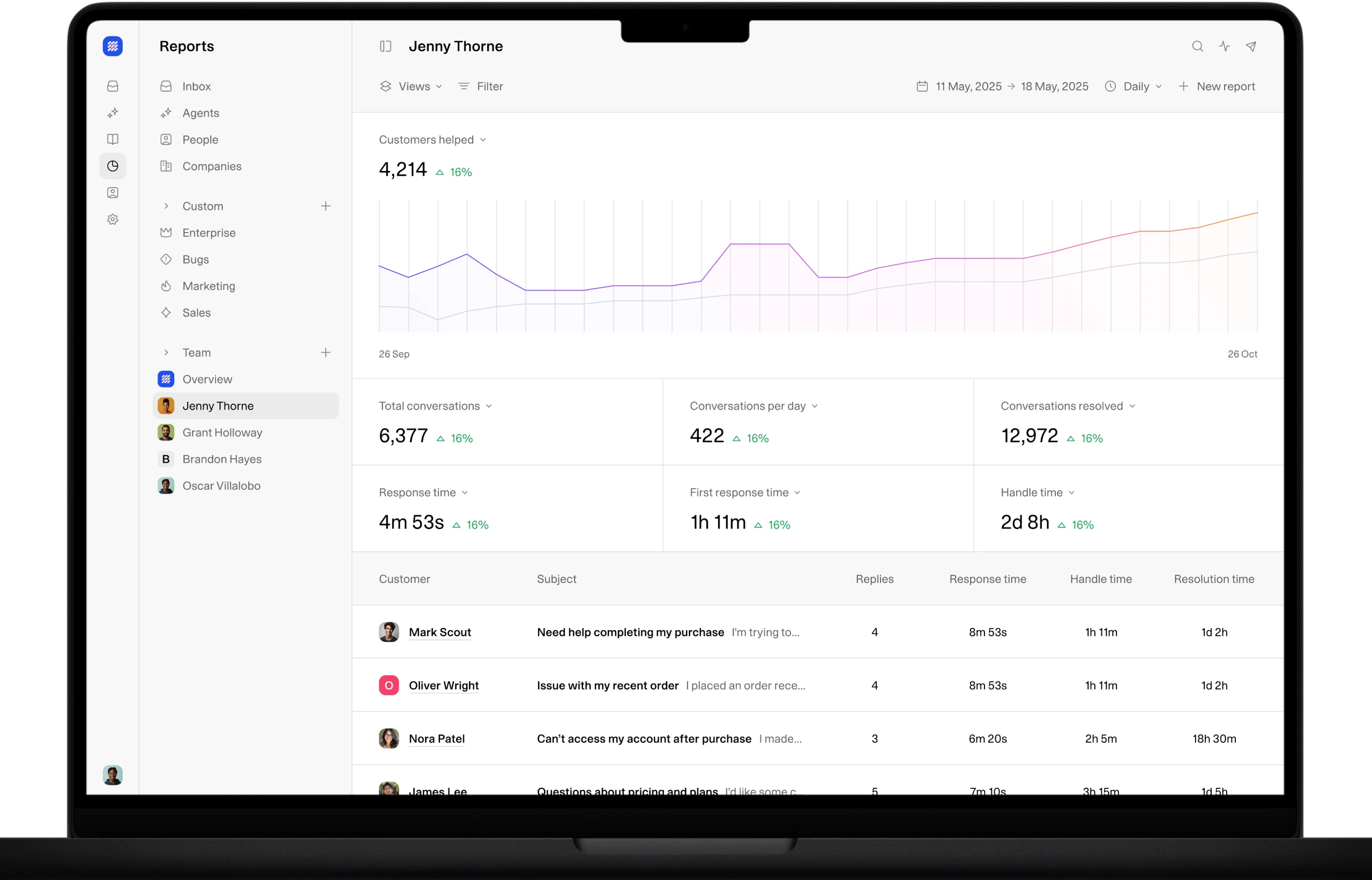
Weav's inbox is built around this model. The AI drafts replies grounded in your product documentation and your team's resolved tickets. Your team sees the draft, edits if needed, and decides when to go fully autonomous on routine queries. Context stays connected across every channel, so the AI is never drafting blind.
How to Set Up AI Reply Drafting Without Losing Your Voice
This is where most AI Support platforms fall short. They turn on AI drafting and expect it to sound as good as their human agents but it can't because the AI has no idea what your voice sounds like.
Here's the actual setup process with Weav:
Feed it your best content. Upload your documentation, your help center articles, and your product pages. This is the knowledge base the AI draws from. The more information that you feed it about your brand, policies, knowledge base, the more accurate the AI replies will be to begin with.
Include resolved tickets. Your team's best resolutions are the most valuable training signal you have. They show the AI not just what to say, but how to say it in your voice. Weav learns directly from these.
Define your tone explicitly. If your brand is direct and informal, that needs to show up in your training content. If you're more formal, same principle. Don't assume the AI will infer it. Be explicit about how you want it to sound because you want it to sound like you.
Review early drafts carefully. In the first few weeks, every draft should be treated as a calibration opportunity. When a draft misses, note why and let Weav know why it missed. When it lands, that's evidence the training is working.
Keep your training content current. An AI agent trained on documentation from six months ago will draft replies that don't match your product today. Continually add more product information, brand information into the Weav engine to match where you are.
For a deeper look at building this foundation correctly, how to train an AI agent for data questions covers the training process in detail.
Where AI Drafts Should Stop and Your Team Should Start
AI drafts works well for a specific category of customer problems. It doesn't work equally well for all of them.
AI drafts are strong for:
Billing and account questions with clear answers
How to questions covered in your documentation
Status updates and order inquiries
Onboarding questions that repeat across customers
Troubleshooting steps with defined resolution paths
Your team should lead on:
Escalated complaints with real emotional intensity
Situations involving potential churn or account risk
Queries where the customer's underlying problem isn't clearly stated
Legal or compliance sensitive topics
Any situation where the customer has already had a bad experience
The line isn't about complexity. It's about privacy, stakes and ambiguity. AI chat can still draft a starting point, but your team should rewrite, not just edit. Weav's unified inbox allows for AI and human collaboration in these situations.
A good AI drafting setup makes this distinction automatic. Routine queries get drafted and sent or reviewed quickly. High stakes queries get flagged and routed to your team with full context intact.
Common Mistakes That Make AI Replies Feel Robotic
Even with solid training, teams make setup and process mistakes that push output back toward generic. Here are the ones that show up most often:
Training on documentation alone. Your help center tells the AI what your product does. Your resolved tickets tell it how your team talks about it. You need both.
No tone calibration. Without examples of your brand voice in action, the AI defaults to a neutral, corporate register. That's not your voice.
Treating every query the same. Routing a billing complaint through the same drafting flow as a how to question produces mismatched replies. Segment your query types and calibrate accordingly.
Skipping the review step too early. Full autonomy makes sense for genuinely routine queries once the AI has proven accuracy. It doesn't make sense as a default from day one.
Ignoring the escalation path. If the AI drafts a reply to a query it shouldn't be handling and your team doesn't catch it, the customer gets a bad experience. Define your escalation criteria clearly and build them into the workflow.
If your team is still figuring out where automation fits in the broader support operation, how to automate customer support without hiring more agents in 2026 covers the full picture.
The Goal Is Resolution, Not Just a Reply
AI drafting is a means to an end. The end is a customer whose problem gets resolved in a way that feels like your brand actually cares about the outcome.
That's achievable. But only if you treat the AI as a team member that needs proper training, not a shortcut that works out of the box.
The teams that get this right invest in the training layer, keep humans in the loop on the queries that matter, and treat every draft as a signal about what the AI knows and doesn't know yet.
Support has been optimized for responses for too long. The goal is resolution. AI drafting, done well, gets you there faster without stripping the experience of the quality your customers expect.
Learn more about how Weav approaches this at weav.com. And if you're thinking about the cost side of this equation, 7 ways to reduce support costs without sacrificing customer experience is worth your time.
FAQs
Can AI customer support tools really match my brand's tone when drafting replies?
Yes, when trained correctly. Weav's AI agent is trained on your actual brand content, including resolved tickets and documentation, not just a generic knowledge base. An AI agent trained on your team's best work will draft replies that sound like your team.
Should AI drafts always go through a human review before sending?
For routine, low stakes queries, full autonomy is reasonable once the AI has demonstrated accuracy. For anything involving complaints, churn risk, or ambiguity, human review is the right call. Build your workflow around query type and stakes, not a blanket rule.
How long does it take for AI reply drafting to get "good"?
With the right training content loaded from the start, quality is strong immediately. It improves further as the AI learns from more resolved tickets over time. The first two to four weeks of review are the most important calibration period.
What happens when the AI drafts a reply it shouldn't?
This is a workflow design question as much as a technology question. Your setup should include clear escalation criteria so queries outside the AI's scope get routed to your team before a draft goes out. Context should stay connected so your team picks up without starting from scratch.
Does AI reply drafting actually save time if your team still reviews every reply?
Yes. Generating a first draft is the most time consuming part of writing a support reply. Editing a draft that's 80% right takes a fraction of the time that writing from scratch does. Those savings compound fast across a high volume queue.
How do I know if my current AI drafting setup is working?
Track how often your team edits drafts before sending and how often they discard them entirely. If your team rewrites more than 40% of drafts, the training needs work. If CSAT holds steady or improves as AI handles more volume, the setup is working.
Weav