Guides
How to train an AI agent for data questions

Brady Nord

Do your customers (or your own team) keep asking the same questions:
“What’s our refund policy?”
“Do we support integrations with X?”
“How does pricing work?”
“Where can I find my invoice?”
You don’t have a data problem. You have a knowledge distribution problem.
The answers already exist. Often the answer is just scattered across docs, tools, and people. It's slow to access, inconsistent to deliver, and impossible to scale. Most customer support teams try to fix this with more docs, tools and support teammates. And for a while, that works.
Until it doesn’t.
Your business and support volume keeps growing, the questions keep repeating, and your team becomes the bottleneck.
So the real question is, how do you turn all the knowledge in your business into something that actually answers questions and scales?
How to train an AI agent for data questions?
Training an AI agent about your data questions is simpler than most people think. With Weav, its as simple as centralizing your information into one location and let your agents train on it.
Add your business data (docs, FAQs, website content)
Structure it around real customer questions
Upload or connect it inside Weav
Assign your training data to your AI agents
Test and refine responses over time
That’s it. No model training. No complex setup.
What “Training an AI Agent” actually means
Training an AI agent doesn’t mean building a model or doing anything technical.
It means giving your agent access to the right information—so it can retrieve, understand, and respond to questions in real time.
Without that, AI guesses. With it, AI answers. That’s the difference.
Training data is what changes the outcome
An AI agent is only as good as the data behind it. If your training data is weak, your answers will be weak. But when your training data is clear, structured, and complete, your agent becomes reliable. Out of the box, your agent doesn’t know your pricing, your policies, or how your product actually works. Training data is what closes that gap and turns generic responses into accurate, business-specific answers.
When you train an AI agent with the right data, it can answer questions instantly, stay consistent across every conversation, reduce resolution time from minutes to seconds, handle more volume without adding headcount, and free up your team to focus on real problems. This is the ah ha moment, from answering questions manually to having an agent that answers them for you.
How to add training data in Weav
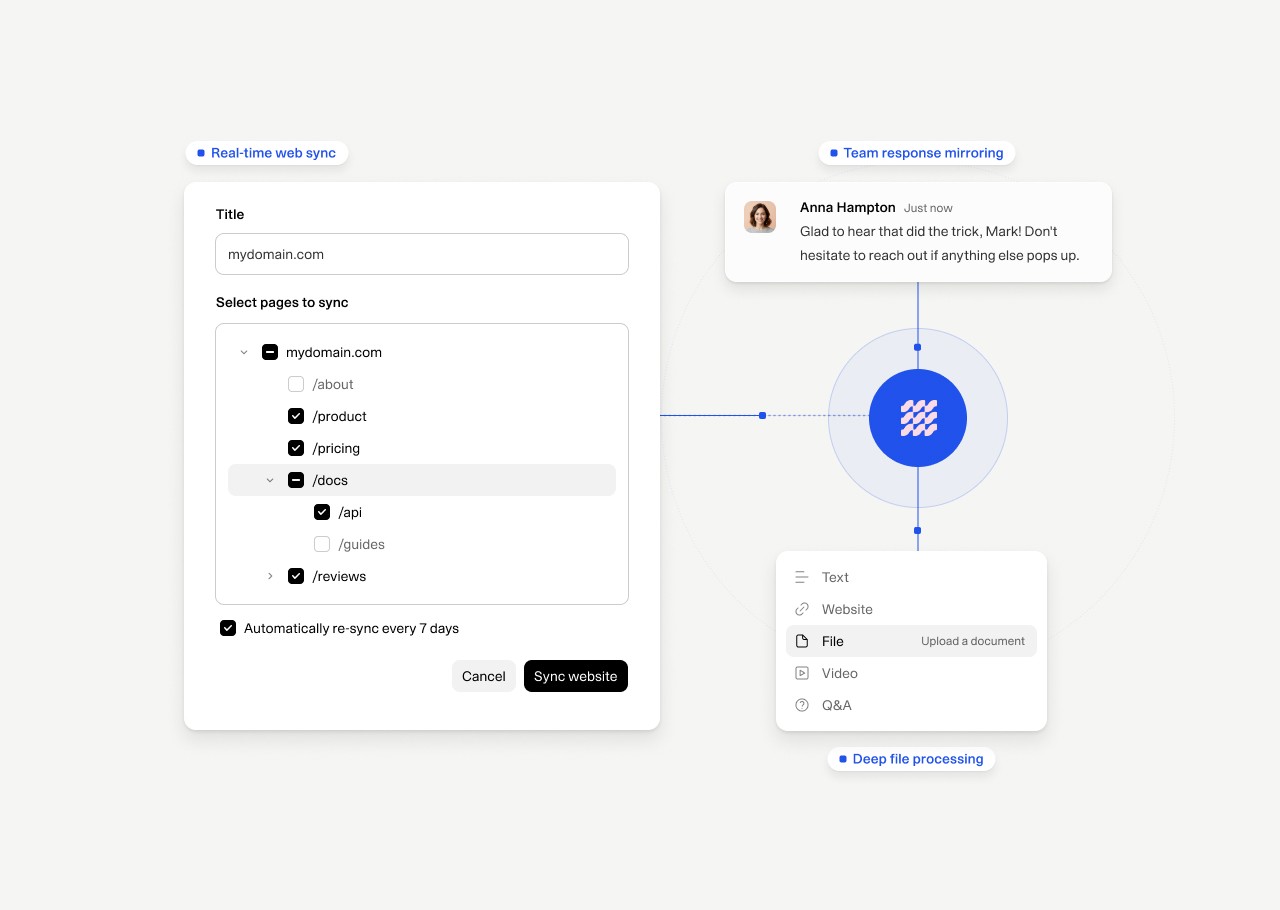
Weav is built to make training an AI agent fast, because the faster you add data, the faster your agent becomes useful. You can train your AI agent using text content like FAQs, product documentation, policies, and onboarding steps, as well as your website or help center. You can even upload your YouTube videos you've created.
If your knowledge exists somewhere, you can bring it into Weav. The fastest way to get started is by adding your help docs or website first, then filling in any gaps with additional content.
Structure your data like real questions
Unfortunately, just adding data sometimes isn’t enough. How you structure your training data can determine how well your AI agent actually performs. If your content is vague, your answers will be vague. If your content is clear and specific, your answers will be clear and reliable.
Most teams write training data like documentation, but that’s not how customers think.
Customers don’t search in paragraphs, they ask direct questions. So your data should reflect that. Structure your content around real questions like
“How do I upgrade my plan?”
“Do you support Shopify?”
“What happens if I cancel?”
The closer your training data mirrors how people naturally ask questions, the more accurate and useful your AI agent becomes.
How Weav AI agents use your data
When a question comes into your chatbot or email, Weav doesn’t guess. It searches your training data, finds the most relevant information, and generates a response grounded in your actual content.
Weav can pull from multiple sources to create a single, complete response, handle follow-up questions, and escalate to a human teammate when needed. So instead of sending someone a link and hoping they find what they need, your agent delivers the answer directly.
Start simple
You don’t need perfect data to start. Simply add what you already have. Launch your agent and watch what happens.
You’ll quickly see:
What people are asking
Where your data is strong
Where it’s missing
As you get started, its important to keep an eye on the questions you're receiving and how well your Agent is responding. From there, you just need to refine the responses that you're not satisfied with.
Over time, your AI agent gets smarter, not because the model changed, but because the knowledge got tighter.
Train your AI Agent in minutes with Weav
Most support tools assume more tickets are coming. With Weav, you shouldn’t have to answer the same questions again and again. It's time to automate your customer support.
If you’re ready to train an AI agent, get started with Weav or book a demo.
Brady Nord